This topic describes how to use the open-source Open Distro alarm plugin to configure alarm alerting via the Simple Message Notification (SMN) service for Elasticsearch clusters in Kibana.
Scenario Description
By default, CSS installs the open-source Open Distro alarm plugin (opendistro_alerting) for Elasticsearch clusters of versions 7.6.2 and 7.10.2. This plugin has three components: Dashboard, Monitors, and Destinations. You can configure alarm alerting via SMN using the Destinations component. When using the Open Distro alarm plugin, an Elasticsearch cluster needs to send notifications via SMN. This requires service authorization, the purpose of which is to allow CSS to access other cloud resources, such as SMN, through agency, so that alarms generated for Elasticsearch clusters can be sent via SMN notifications. For details about the Open Distro alarm plugin, see Open Distro Monitors.
Constraints
By default, the open-source Open Distro alarm plugin is installed only in Elasticsearch 7.6.2 and Elasticsearch 7.10.2. Therefore, only these clusters support this feature.
Prerequisites
- You have created a topic on the SMN console.
- You have obtained CSS administrator account. The account has the permissions to access CSS and view the agency list, create agencies, and grant permissions to agencies.
Authorizing Users to Use SMN
- Log in to the CSS management console.
You must log in using a CSS administrator account.
- In the navigation pane, choose Service Authorization.
- On the Service Authorization page, click Create Agency. In the dialog box displayed, confirm that the agency is successfully created.
- If an agency has been created, "css_smn_agency exist, no need to created." is displayed in the upper right corner.
- If you do not have the permission to create an agency, an error message will be displayed in the upper right corner indicating "no permission", in which case, check that the administrator account has been assigned the IAM permission.
Setting Alarm Notifications via SMN
- Log in to the CSS management console.
Log in using an account with CSS permissions.
- In the navigation pane on the left, choose Clusters > Elasticsearch.
- In the cluster list, find the target cluster, and click Kibana in the Operation column to log in to the Kibana console.
- On the Kibana page, choose Open Distro for Elasticsearch > Alerting in the navigation pane on the left.
- Create an SMN destination to send alert messages.
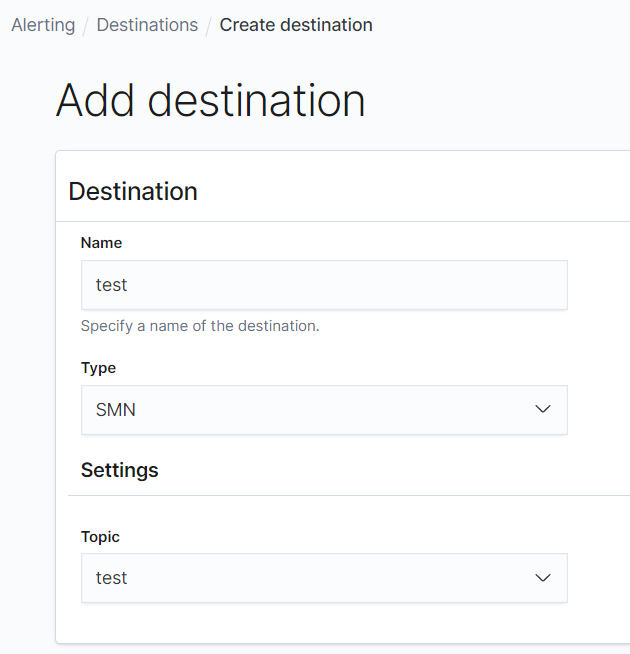
- On the Alerting page, click the Destinations tab and click Add destination to configure destination information.
Table 1 Destinations parameter description Parameter
Description
Name
User-defined destination name
Type
Retain the default value SMN.
Topic
Select the SMN topic you have created in Prerequisites for sending alarm messages.
Figure 1 Add destination
- Click Create to return to the destination list. If the created SMN destination is displayed in the list, the creation is complete.
Figure 2 Destination list

- On the Alerting page, click the Destinations tab and click Add destination to configure destination information.
- Create a monitoring task and configure the alarm triggering condition and monitoring frequency.
- Click the Monitors tab on the Alerting page and click Create monitors to configure monitoring information.
Table 2 Monitor parameters Parameter
Description
Monitor name
User-defined monitor name
Monitor state
Monitoring status. You are advised to keep this function enabled.
Method of definition
Select a method to define monitoring. You are advised to use Define using extraction query.
- Define using visual graph: use visualized query statement
- Define using extraction query: use specific query statement
Index
Index to be monitored
Time field
When Define using visual graph is selected, select a time field and define counting parameters such as count.
Frequency
Select the monitoring frequency and set the monitoring interval. The options include:
- By interval
- Daily
- Weekly
- Monthly
- Custom cron expression
- Click Create. The Create trigger page is displayed.
- On the Create trigger page, set the alarm triggering conditions and actions to be triggered.
Table 3 Trigger parameters Parameter
Description
Trigger name
User-defined trigger name
Severity level
Sensitivity of a trigger, that is, the number of alarms that are triggered before an alarm message is sent. 1 indicates the highest sensitivity.
Trigger condition
Trigger condition. An alarm is triggered when the trigger condition is hit.
Action name
Name of a trigger action
Destination
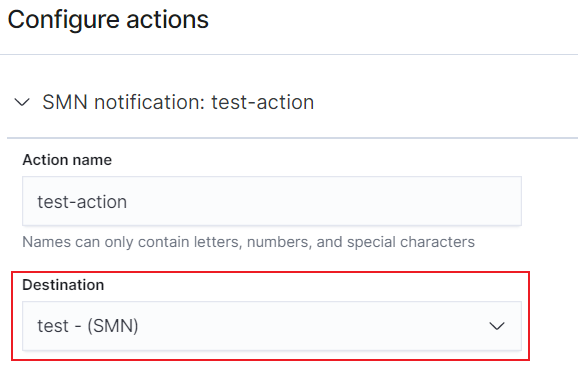
Select the SMN destination created in section 5.
Message subject
Title of the alarm message. This parameter is required only when Elasticsearch clusters of version 7.10.2 is used.
Message
Body of an alarm message. By default, the subject and body are defined when the destination is an email address.
Action throttling
Message sending frequency. It limits the number of notification messages can be received in a specified period.
For example, if this parameter is set to 10 minutes, SMN sends only one alarm notification in the next 10 minutes even if the trigger condition is hit for multiple times. After 10 minutes, SMN sends another alarm notification if the alarm condition is met.
Figure 3 Setting the destination of a trigger action
- Click Send test message. If a subscriber receives an email, as shown in Figure 5, the trigger is configured successfully.
Figure 4 Sending test messages
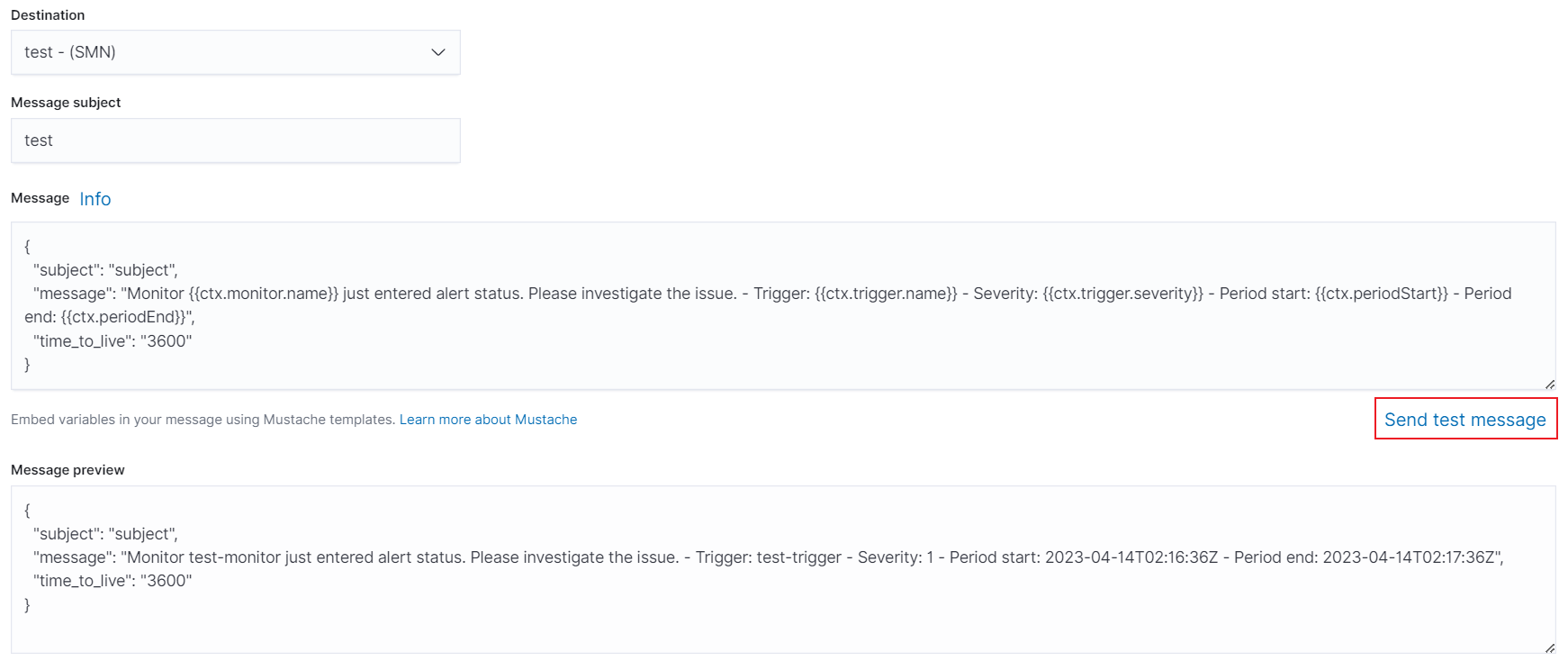
Figure 5 Email notification

- Click Create to return to the Monitor details page.
- Click the Monitors tab on the Alerting page and click Create monitors to configure monitoring information.