You can view the topology of a single call, as well as the overall topology between different services. In some scenarios, the call relationships of an important business need to be traced. This process is called URL tracing. For example, to trace the API for creating online shopping orders. In APM, URL tracing consumes a large number of resources. Therefore, an entry URL will not be added for tracing by default. However, you can set that if necessary. APM has a limit on the total number of URLs added for tracing. It focuses on tracing the downstream calls for the APIs that are added for tracing. Through URL tracing, you can monitor the call relationships between important APIs and downstream services, and then detect problems more precisely.
Configuring URL Tracing
- Log in to the management console.
- Click
 on the left and choose Management & Deployment > Application Performance Management.
 - In the navigation pane, choose Application Monitoring > Metrics.
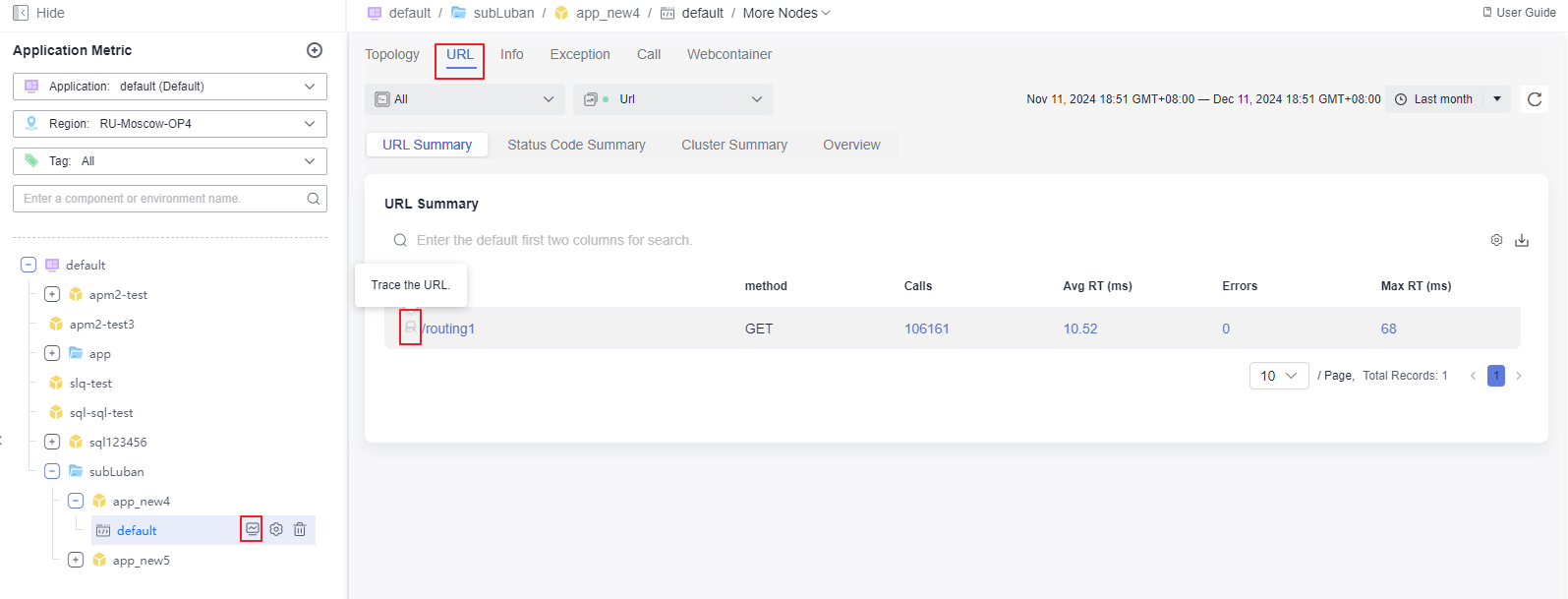
- In the tree on the left, click the environment that needs URL tracing. The environment details page is displayed. By default, the URL tab page is displayed.
- Move the mouse pointer to the target URL, click
 , and add it for URL tracing.
Figure 1 Configuring URL tracing
- If there are more than five instances, click More Instances. Select up to five instances to monitor each time. If you select one more instance than the allowed limit (5), the first instance will be deselected by default.
Checking the URL Tracing View
- On the URL tab page:
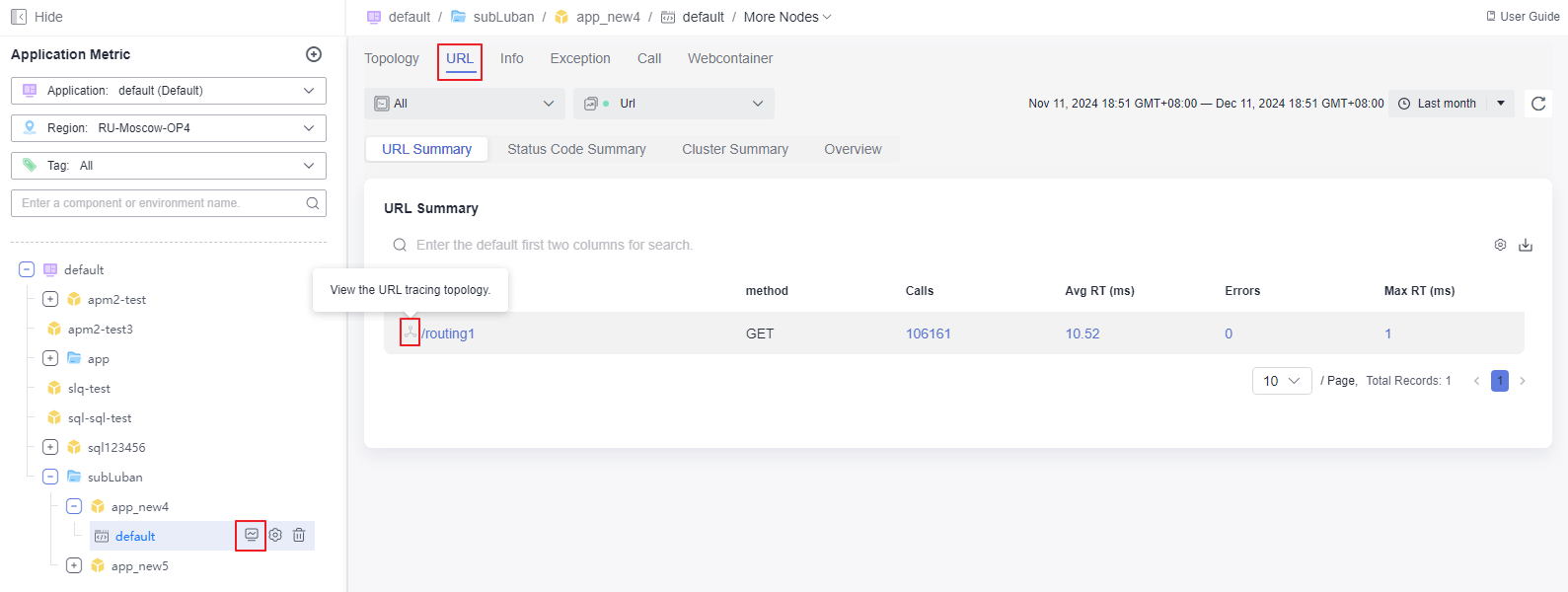
For the URL added for tracing, click
 next to it to view its topology.
Figure 2 Viewing URL tracing details
- On the URL Tracing Views tab page:
- In the navigation pane, choose Application Monitoring > Metrics.
- In the tree on the left, click an application. The application details page is displayed.
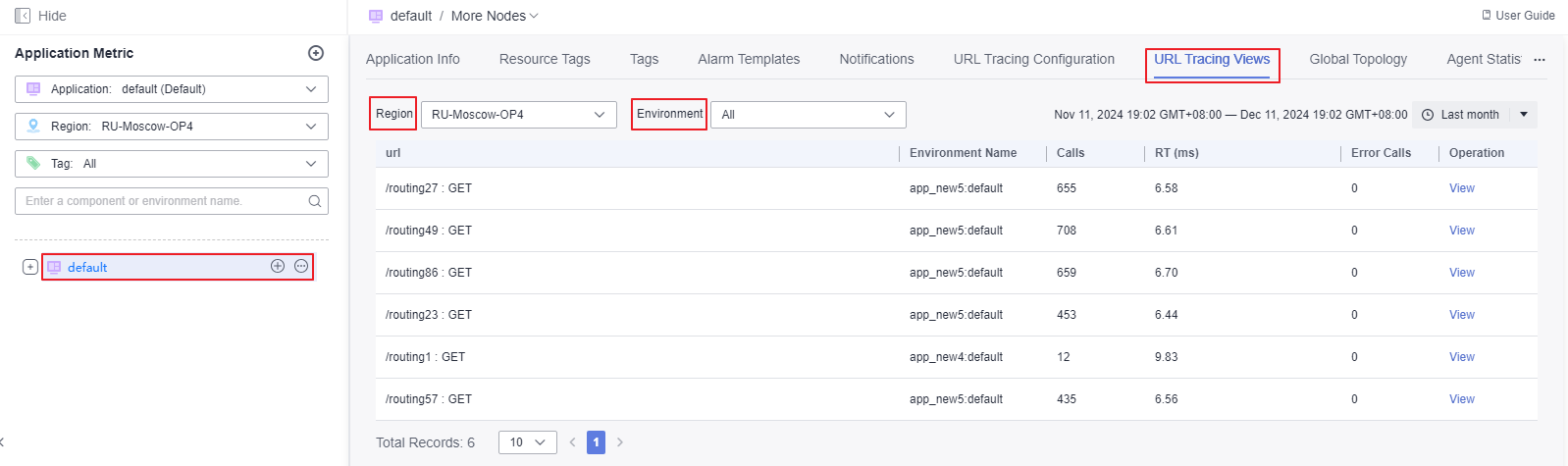
- Click the URL Tracing Views tab to check all URL tracing views of the application.
- Filter transaction views by region and environment.
- Click View in the Operation column of the row that contains the URL you want to view.
Figure 3 Checking the URL tracing view
Viewing the URL Tracing Configuration
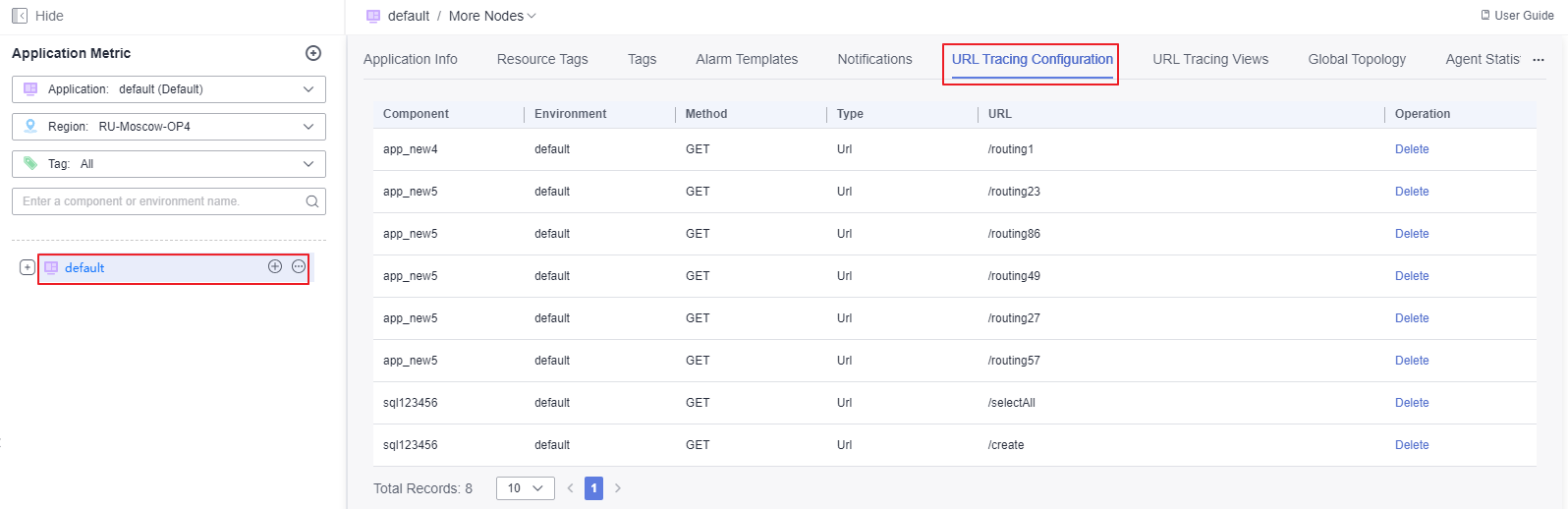
The URL which has been added for tracing will be displayed in the URL tracing configuration list.
- In the navigation pane, choose Application Monitoring > Metrics.
- In the tree on the left, click an application. The application details page is displayed.
- Click the URL Tracing Configuration tab to check all URL tracing configurations of the application.
Figure 4 Viewing the URL tracing configuration list
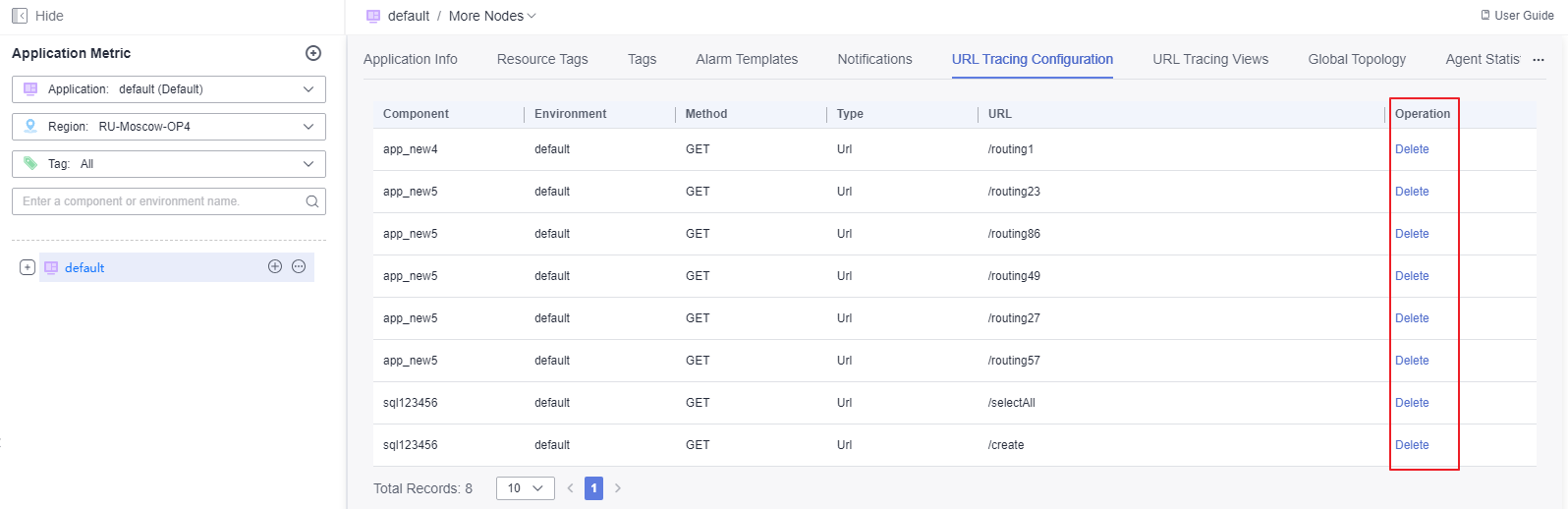
- To delete a URL tracing configuration, click Delete in the Operation column.
Figure 5 Deleting a URL tracing configuration
Viewing Transactions
Transaction URLs are displayed in a list. By default, the system displays the invocation of all entries.
- In the navigation pane, choose Application Monitoring > Metrics.
- In the tree on the left, click an application. The application details page is displayed.
- Click the Transactions tab to view all transactions of the application.
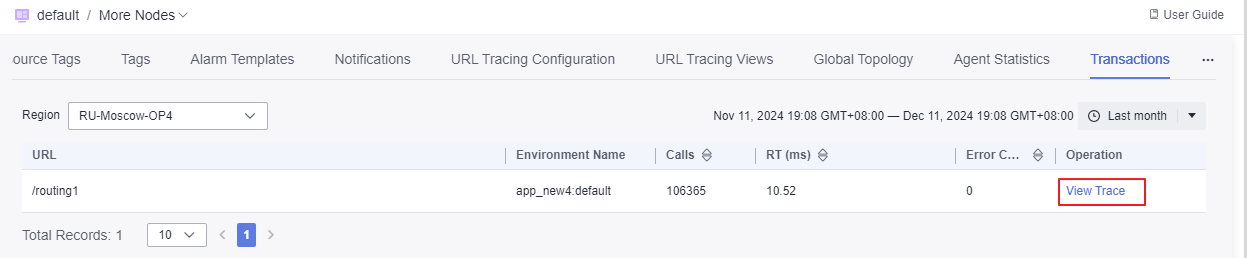
Figure 6 Viewing transactions

- Click View the call chain in the Operation column of the target transaction. For operations related to call chains, see Tracing.
Figure 7 Viewing the call chain