Scenarios
Windows uses IDE disks and VirtIO NICs. Before registering an image on the cloud platform, integrate VirtIO drivers into the Windows ISO file. Typically, an ISO file contains all the files that would be included on an optical disc. Some software can be installed only from a CD-ROM drive. So, a virtual CD-ROM drive is required.
This section uses AnyBurn and UltraISO as examples to describe how to integrate VirtIO drivers into an ISO file.
- AnyBurn is lightweight CD/DVD/Blu-ray burning software with a free version.
- UltraISO is an ISO CD/DVD image file handling tool. A free trial version is limited to ISO files of 300 MB or less. You are advised to buy a standard version.
- VirtIO is a standard interface for VMs to access host devices. It is used to improve the I/O performance between VMs and hosts. For details about open-source code of virtio-win/kvm-guest-drivers-windows, see https://github.com/virtio-win/kvm-guest-drivers-windows.
Prerequisites
You have obtained an ISO file.
The ISO file name can contain only letters, digits, hyphens (-), and underscores (_).
AnyBurn
- Download AnyBurn and install it on your local PC.
- Download VirtIO drivers.
https://fedorapeople.org/groups/virt/virtio-win/direct-downloads/stable-virtio/virtio-win.iso
Other versions:
https://fedorapeople.org/groups/virt/virtio-win/direct-downloads/archive-virtio/
- Use AnyBurn to open the ISO file.
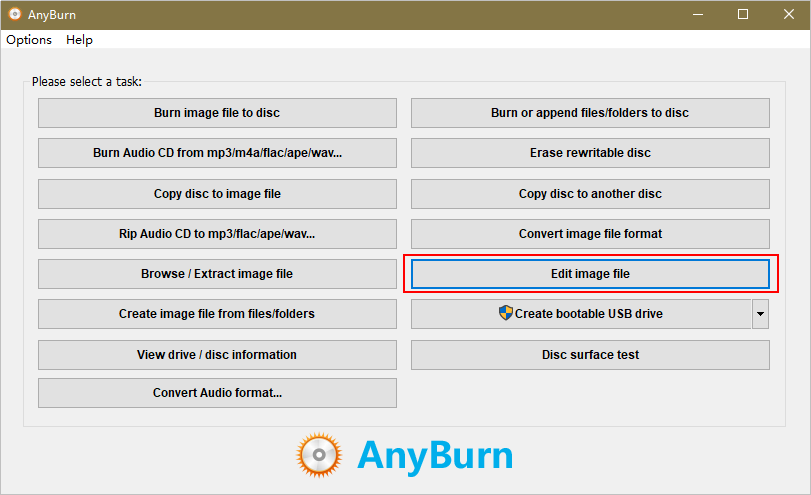
- Open AnyBurn and select Edit Image File.
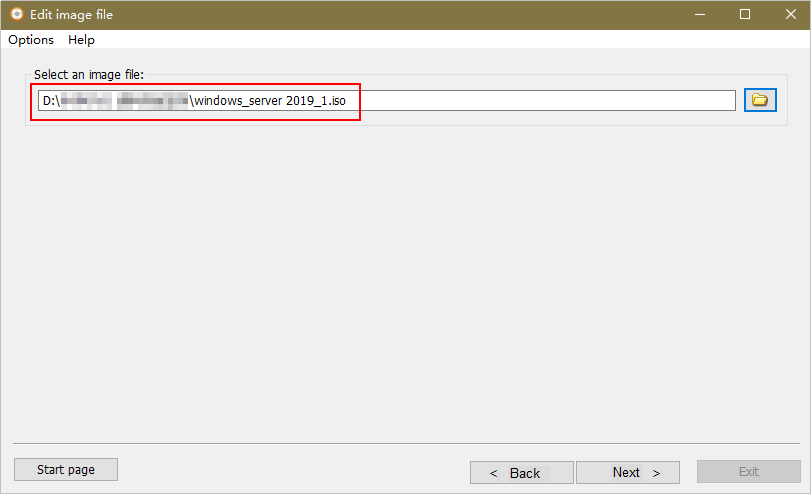
- Select the ISO file and click Next.
- Open AnyBurn and select Edit Image File.
- Edit the ISO file to integrate VirtIO drivers into it.
- Decompress the virtio-win.iso file downloaded in 2.
- Click Add. Select all the decompressed files to add them to the parent node of the ISO file, and click Next.
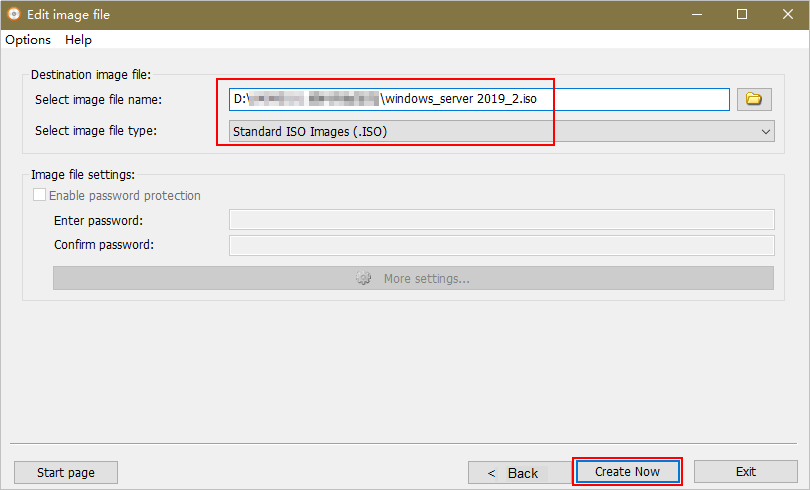
- Select a path to save the new ISO file and specify a name for the new file. Select ISO as the file type. Click Create Now.
After the new ISO file is generated, view VirtIO drivers in it.
UltraISO
- Download UltraISO and install it on your local PC.
Download address: https://www.ultraiso.com/
- Download VirtIO drivers.
https://fedorapeople.org/groups/virt/virtio-win/direct-downloads/stable-virtio/virtio-win.iso
Other versions:
https://fedorapeople.org/groups/virt/virtio-win/direct-downloads/archive-virtio/
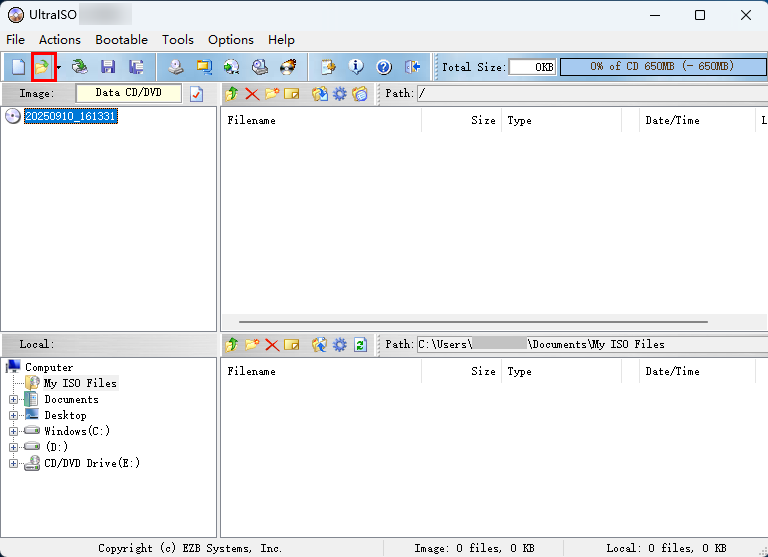
- Use UltraISO to open the VirtIO ISO file.
Figure 1 Opening the VirtIO ISO file
 Caution
Do not extract the ISO file or open it with any tool other than UltraISO, or the boot data will be lost.
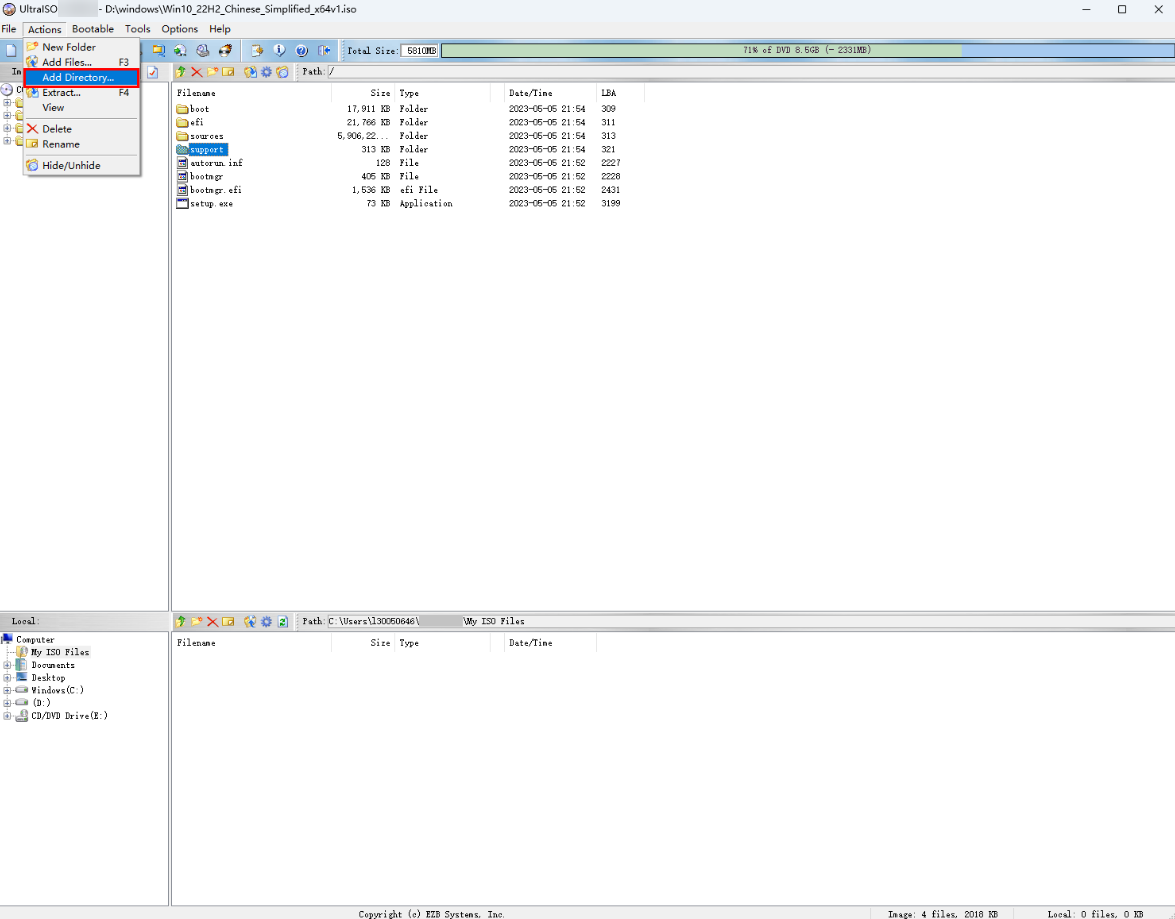
- Extract the VirtIO ISO file into a specified temporary folder.
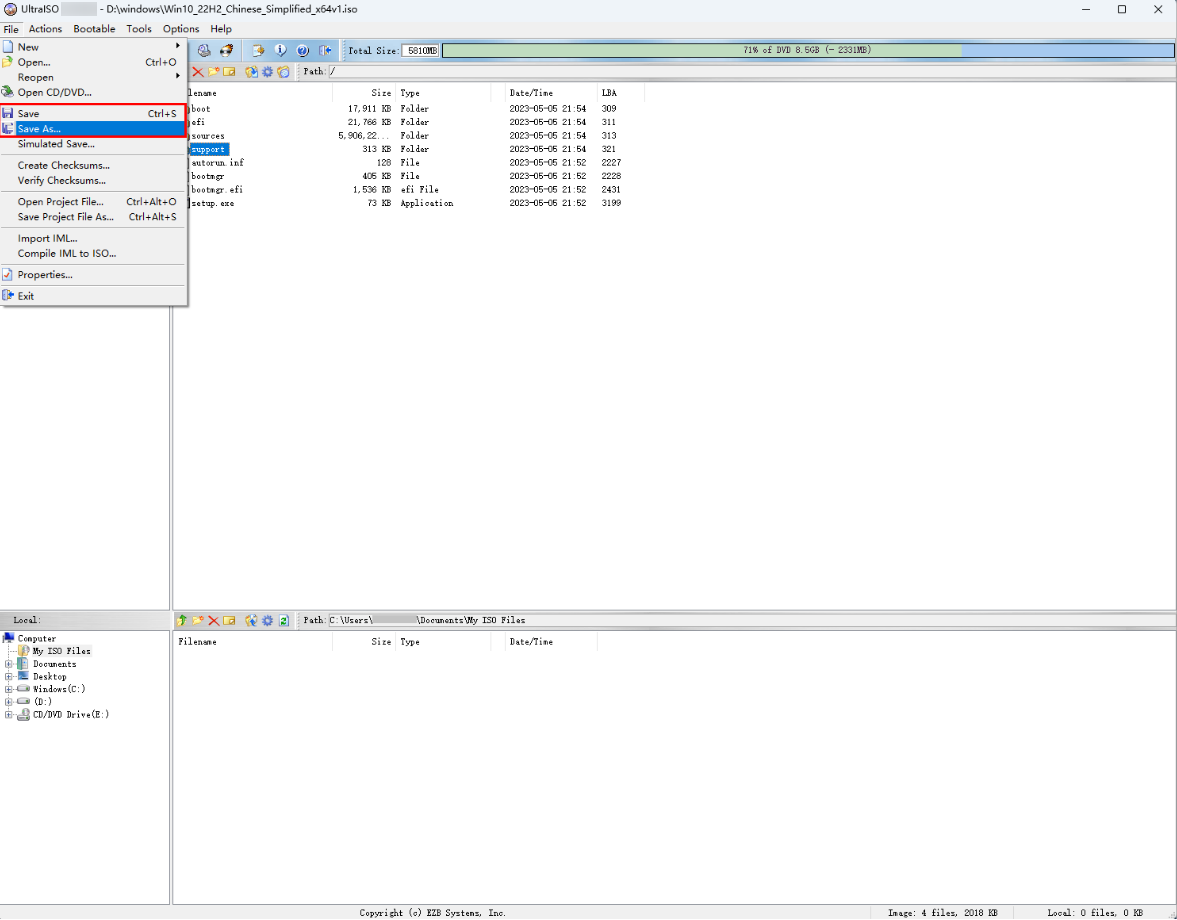
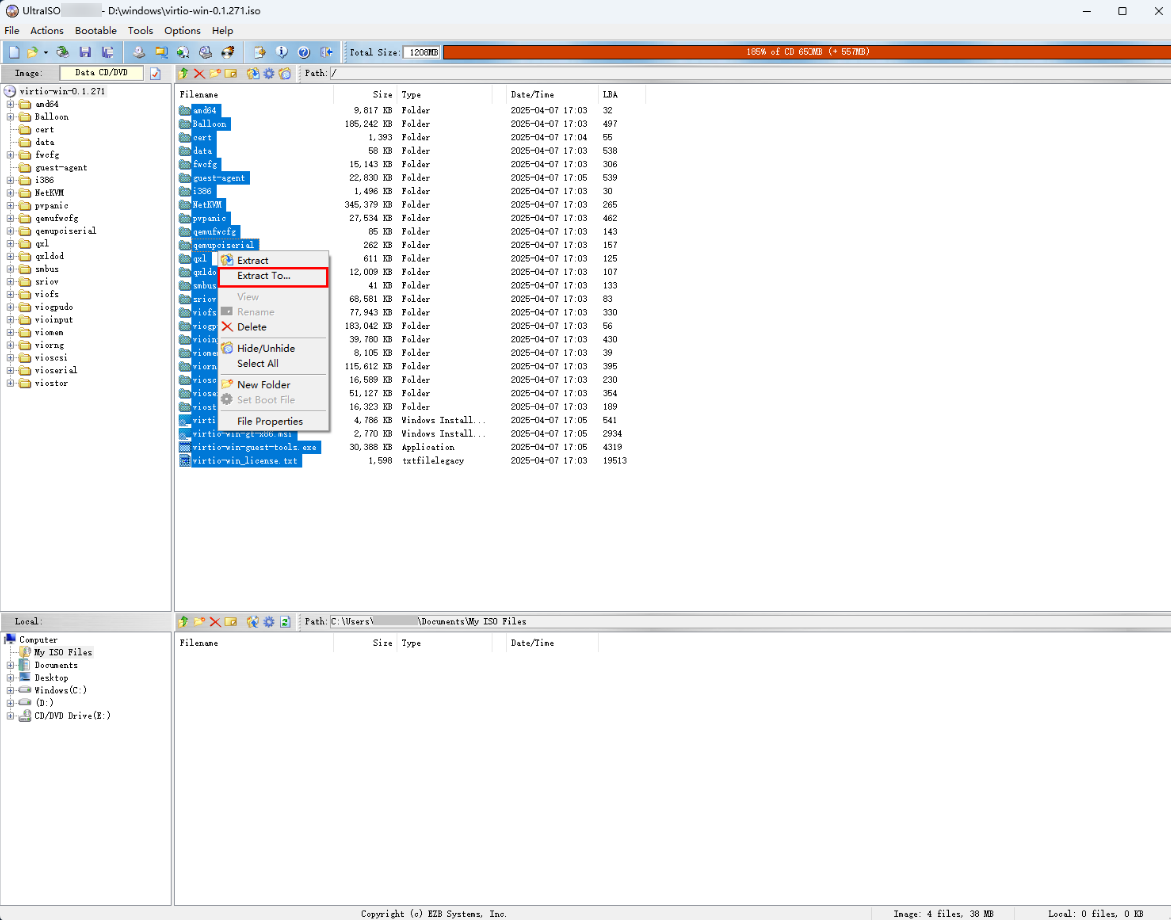
- Use UltraISO to open the Windows ISO file on your local PC and add the extracted VirtIO files into the sources folder.
- After confirming that correct VirtIO files are added, save the Windows ISO file.