If you are an administrator and have created multiple resources on the cloud platform, such as Elastic Cloud Servers (ECSs), Elastic Volume Service (EVS) disks, and Bare Metal Servers (BMSs), you can create IAM users and grant them only permissions required to perform operations on specific resources. You do not need to share the password of your account.
New IAM users do not have any permissions assigned by default. You can assign permissions to new users, or add them to one or more groups and grant permissions to these groups by referring to Assigning Permissions to a User Group so that the users can inherit the permissions of the groups. The users then can perform specific operations on cloud services as specified by the permissions.
The default user group admin has all permissions required to use all of the cloud resources. Users in this group can perform operations on all the resources, including but not limited to creating user groups and users, modifying permissions, and managing resources.
If you delete a user and then create a new user with the same name, you need to grant the required permissions to the new user again.
Procedure
- Log in to the IAM console as the administrator.
- Choose Users from the left navigation pane and click Create User in the upper right corner.
- Specify the user details on the Create User page. To create more users, click Add User. You can add a maximum of 10 users at a time.Table 1 User details
Parameter
Description
Username
The name is user-defined and must be different from that of any other account or any IAM user in the account.
Email Address
The name is user-defined and must be different from that of any other account or any IAM user in the account. It can be used to authenticate the IAM user and reset the password.
Mobile Number
The name is user-defined and must be different from that of any other account or any IAM user in the account. It can be used to authenticate the IAM user and reset the password.
External Identity ID
Identity of an enterprise user in IAM user SSO.
This parameter must be specified if you want to configure virtual user SSO via SAML for an IAM user. The value contains a maximum of 128 characters.
Note- IAM users can log in to the cloud platform using the username, mobile number, or email address.
- If users forget their passwords, they can reset the passwords through email address or mobile number verification. If no email addresses or mobile numbers have been associated with users, users need to request the administrator to reset their passwords.
- Specify Access Type.Table 2 Access types
Access Type
Description
Programmatic access
An access key or password is generated for the IAM user. This type allows access to cloud services using development tools, such as APIs, CLI, and SDKs.
Management console access
A password is generated for the IAM user. This type allows access to cloud services using the management console. A password is mandatory for login.
Note- If the user accesses cloud services only by using the management console, select Management console access for Access Type and Password for Credential Type.
- If the user accesses cloud services only through programmatic access, select Programmatic access for Access Type and Access key for Credential Type
- If the user needs to use a password as the credential for programmatic access to certain APIs, select Programmatic access for Access Type and Password for Credential Type.
- If the user needs to perform access key verification when using certain services on the console, select Programmatic access and Management console access for Access Type, and select Access key and Password for Credential Type. For example, the user needs to perform access key verification before creating a data migration job on the Cloud Data Migration (CDM) console.
- Specify Credential Type.Table 3 Credential types
Credential Type
Description
Access key
After creating the user, you can download the access key (AK/SK) generated for the user.
Each user can have a maximum of two access keys.
Password
Set now
Set a password for the user and determine whether to require the user to reset the password at the first login.
If you will use the IAM user by yourself, you are advised to select this option, enter a password, and deselect Require password reset at first login.
Automatically generated
The system automatically generates a login password for the user. After the user is created, you can download the EXCEL password file and provide the password to the user. The user can then use this password for login.
The password file must be downloaded upon the user creation. If you cancel the download, the password file cannot be obtained again. You can reset the user password by referring to Modifying Security Settings for an IAM User.
This option is available only when you create an individual user.
Set by user
A one-time login URL will be emailed to the user. The user can click the link to log in to the console and set a password.
If you do not use the IAM user by yourself, select this option and enter the email address and mobile number of the IAM user. The user can then set a password by clicking the one-time login URL sent over email. The login URL is valid for two days.
USB Key
A USB key is a device that stores user credentials. You can use a USB key, rather than a password to verify your identity. This option is more secure, as there is no password to be leaked.
If this option is selected, the IAM user can only use a USB key to log in to the management console.
Table 4 Recommended configurationsManagement Console Access
Programmatic Access
Credential Type
Recommended Access Type
Recommended Credential Type
Select
Deselect
There are no special requirements.
Management console access
Password
Deselect
Select
There are no special requirements.
Programmatic access
Access key
Deselect
Select
A password is required as a credential for programmatic access (required by some APIs).
Programmatic access
Password
Select
Select
The access key (entered by the IAM user) needs to be verified on the console.
For example, the user needs to perform access key verification before creating a data migration job in the Cloud Data Migration (CDM) console.
Programmatic access and management console access
Password and access key
- Enable or disable login protection. This option is available only when you have selected Management console access for Access Type.
- Log in protection enabled (Recommend):The user needs to enter a verification code in addition to the username and password for login.
You can choose from SMS-, email-, and virtual MFA–based login verification.
Disable: The user does not need to enter a verification code for login.
If you want to enable login protection after the user is created, see Login Protection.
- Log in protection enabled (Recommend):The user needs to enter a verification code in addition to the username and password for login.
- Click Next. You can optionally select user groups for the user. Once the user is added to user groups, the user will inherit permissions assigned to the groups.Note
- You can also create a new group and add the user to that group.
- If you want the user to be an administrator, add the user to the default group admin.
- You can add a user to a maximum of 10 user groups.
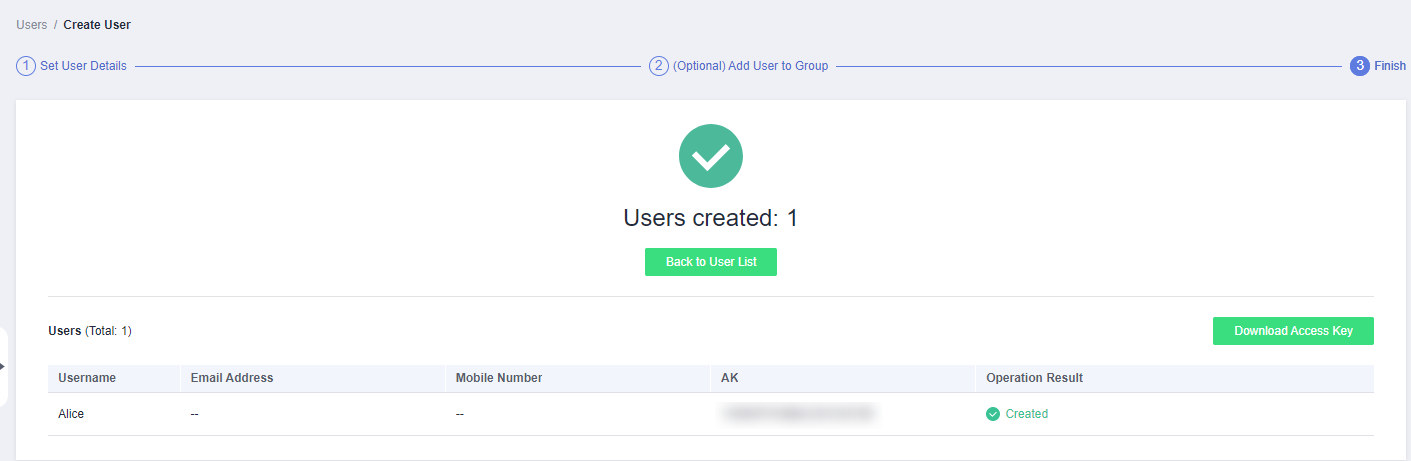
- Click Create. The IAM user will be displayed in the user list.
Related Operations
- IAM users created without being added to any groups do not have any permissions. The administrator can assign permissions to these IAM users on the IAM console. Then the users can use cloud resources based on the assigned permissions. For details, see Assigning Permissions to an IAM User.
- Accounts and IAM users use different methods to log in. For details about IAM user login, see Logging In to the Cloud Platform as an IAM User.