Identity and Access Management (IAM) provides permissions management to help you securely control access to your cloud services and resources.
Advantages
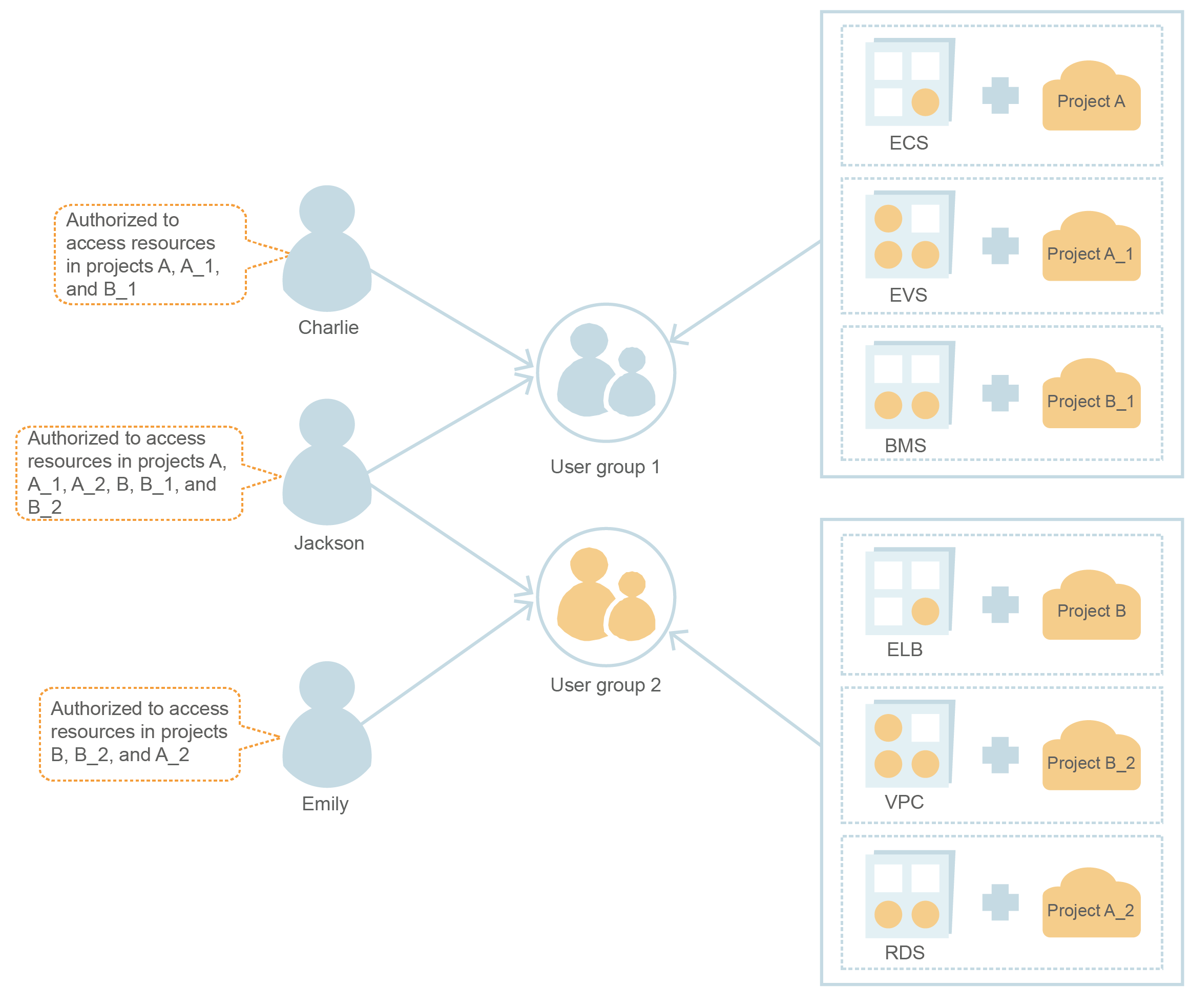
Fine-grained access control for resources
When you successfully sign up for the cloud platform, your account is automatically created. Your account has full access permissions for your cloud services and resources.
You may create multiple resources on the cloud platform, such as Elastic Cloud Servers (ECSs), Elastic Volume Service (EVS) disks, and Bare Metal Servers (BMSs), for different teams or applications in your enterprise. You can use your account to create IAM users for the team members or applications and grant them permissions required to complete specific tasks. The IAM users use their own usernames and passwords to log in to the cloud platform. You do not need to share your account password with IAM users.
In addition to IAM, you can use Enterprise Management to control access to cloud resources. Enterprise Management supports more fine-grained permissions management and enterprise project management. You can choose either IAM or Enterprise Management to suit your requirements.
Cross-account resource access delegation
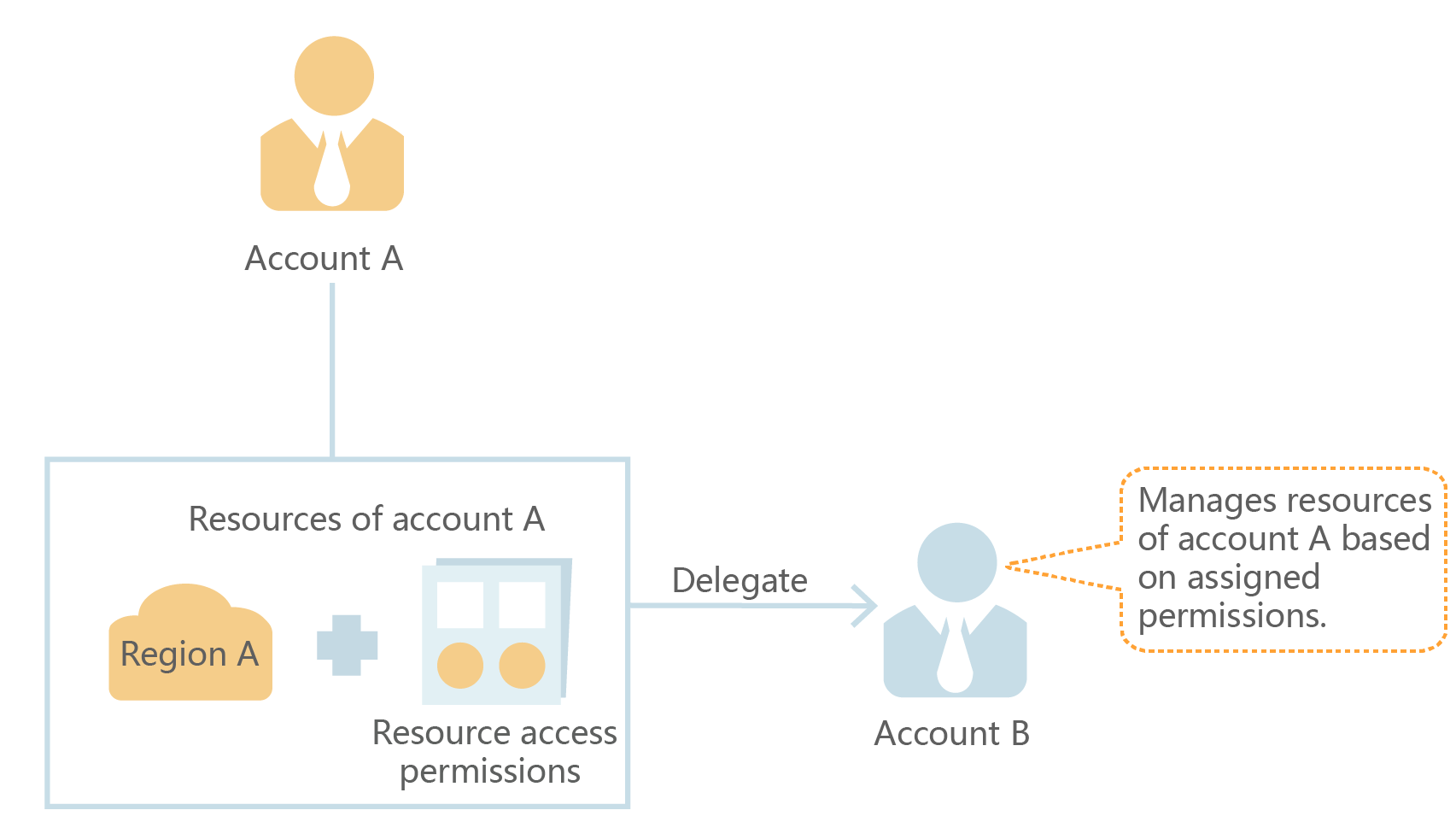
If you create multiple resources on the cloud platform, you can delegate another account to manage some of your resources for efficient O&M.
For example, you can create an agency for a professional O&M company to allow them to manage specific resources with its own account. If the delegation changes, you can modify or revoke the delegated permissions at any time. In the following figure, account A is the delegating party, and account B is the delegated party.
Federated access to the cloud platform with existing enterprise accounts (identity federation)
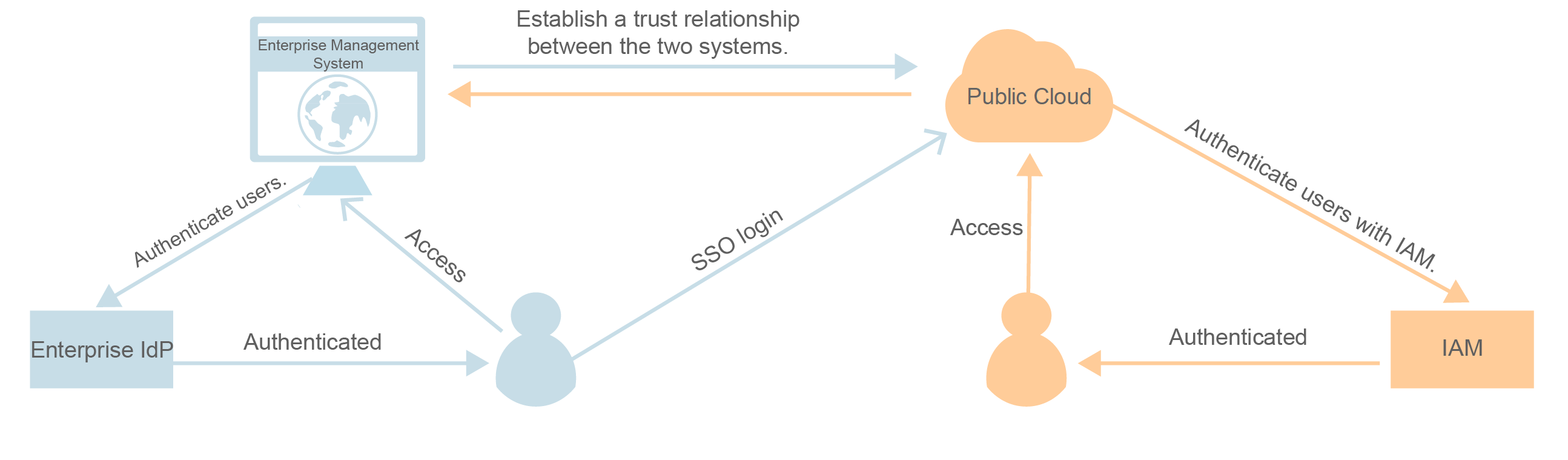
If your enterprise has an identity system, you can create an identity provider (IdP) in IAM to provide single sign-on (SSO) access to the cloud platform for employees in your enterprise. The IdP establishes a trust relationship between your enterprise and the cloud platform, allowing the employees to access the cloud platform using their existing accounts.
Access Methods
You can access IAM using either of the following methods:
- Management console
Access IAM through the management console ─ a browser-based visual interface.
- REST APIs
Access IAM using REST APIs.
If you want to view, audit, and track the records of key operations performed on IAM, enable Cloud Trace Service (CTS). For details, see Key IAM Operations Supported by CTS.