Scenarios
You can create EVS snapshots to save disk data at specific time points. Before you perform any critical operation, such as a data rollback, software upgrade, or data migration, you are advised to create snapshots to back up data. This ensures that your data is not affected even if an exception occurred during the operation.
Constraints
- Snapshots can be created for both system disks and data disks.
- Snapshots of encrypted disks are stored encrypted, and those of non-encrypted disks are stored non-encrypted.
- You can manually create a maximum of seven snapshots for a disk.
- The enterprise project of a snapshot is the same as that of the snapshot's source disk.
Impacts on Performance
During the snapshot creation, disk I/Os are affected, so you may experience slow reads or writes at some points. It is recommended that you create snapshots at off-peak hours.
Prerequisites
Snapshots can only be created for Available or In-use disks.
Creating a Snapshot on the Disks Page
- Sign in to the console.
- Click
 in the upper left corner and choose Storage > Elastic Volume Service.
The Elastic Volume Service page is displayed.
- In the disk list, locate the target disk and click Create Snapshot in the Operation column.
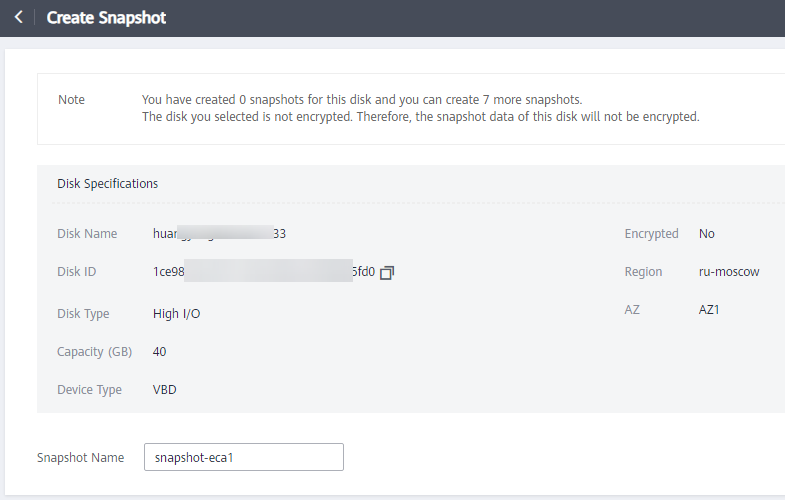
Configure the snapshot parameter according to Table 1.
Table 1 Snapshot parameterParameter
Description
Example Value
Snapshot Name
Mandatory
The name can contain a maximum of 64 characters.
snapshot-01
Figure 1 Create Snapshot
- Click Create Now.
- Go back to the Snapshots page and view the created snapshot in the snapshot list.
After the snapshot status changes to Available, the snapshot has been created.
Creating a Snapshot on the Snapshots Page
- Sign in to the console.
- Click in the upper left corner and choose Storage > Elastic Volume Service.
The Elastic Volume Service page is displayed.
- In the navigation pane on the left, choose Elastic Volume Service > Snapshots.
On the Snapshots page, click Create Snapshot.
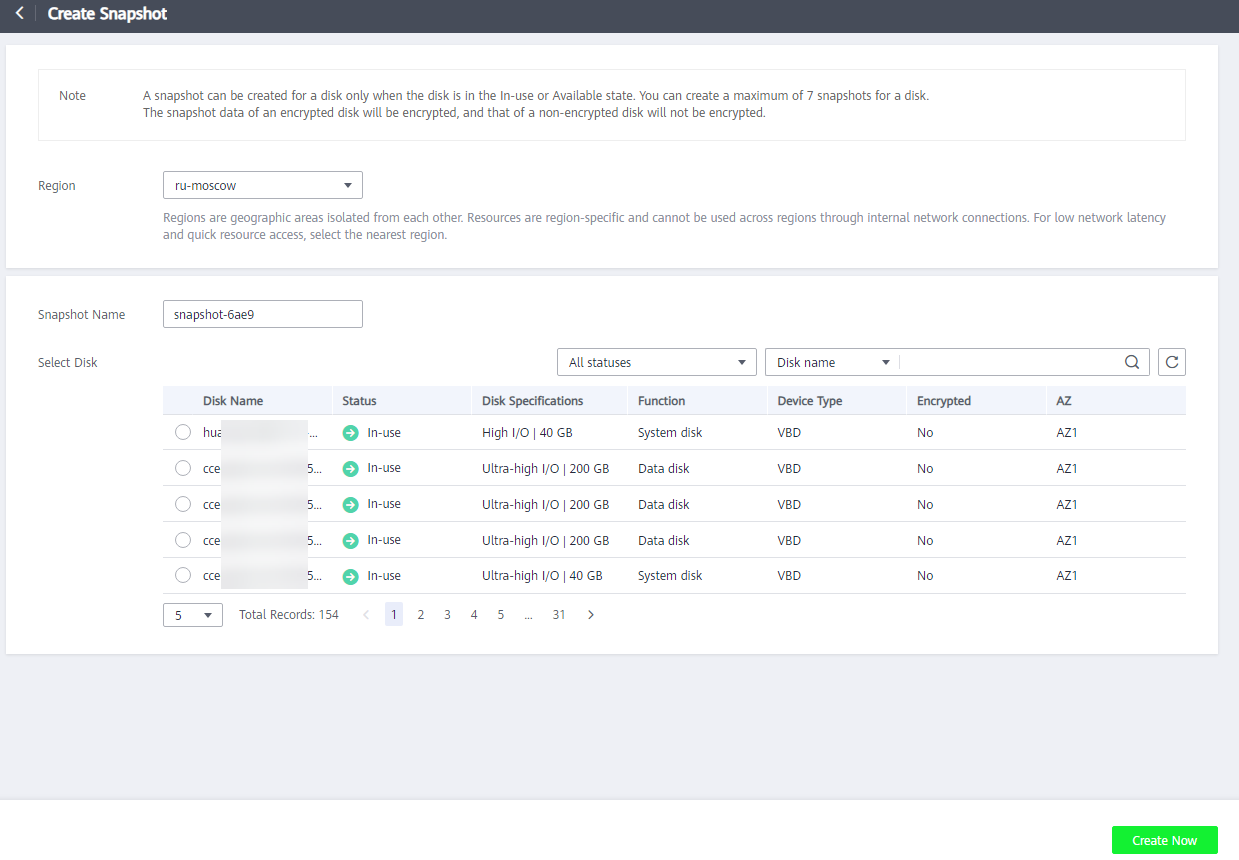
Configure the snapshot parameters according to Table 2.
Table 2 Snapshot parametersParameter
Description
Example Value
Region
After you select a region, disks in the selected region will be displayed for you to choose from.
-
Snapshot Name
- It can contain only letters, digits, periods (.), hyphens (-), and underscores (_).
- It can contain a maximum of 64 characters.
snapshot-01
Select Disk
Select a disk based on which the snapshot will be created.
volume-01
Figure 2 Create Snapshot
- Click Create Now.
- Go back to the Snapshots page and view the created snapshot in the snapshot list.
After the snapshot status changes to Available, the snapshot has been created.