You can create a propagation for each attachment to propagate routes to one or more route tables on an enterprise router.
If you do not want to create a propagation, you can manually add static routes for attachments to the route tables.
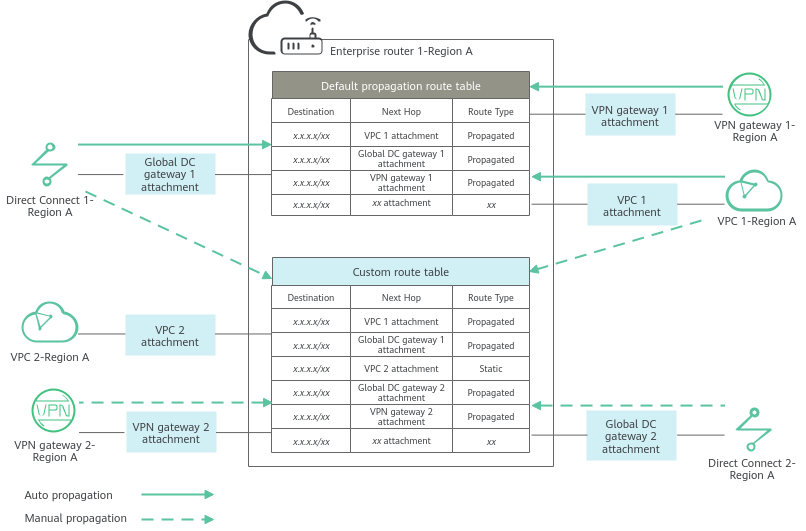
Figure 1 Propagated routes and static routes
Attachment Type | Propagated Info | Way to Create Propagation | Description |
|---|---|---|---|
VPC | VPC CIDR blocks |
| An attachment can be propagated to different route tables. You can create propagations for attachments in Figure 1 as follows:
|
VPN gateway | All routes | ||
Global DC gateway | All routes | ||
CFW instance | CIDR blocks of the VPCs protected by CFW |
Parent topic: Propagations