VPC | Not supported | - Auto creation: If Default Route Table Association is enabled and the default association route table is specified, attachments are automatically associated with the default association route table.
- Manual creation: You can select a route table and create an association in it to associate an attachment with the route table. For details, see Creating an Association for an Attachment in a Route Table.
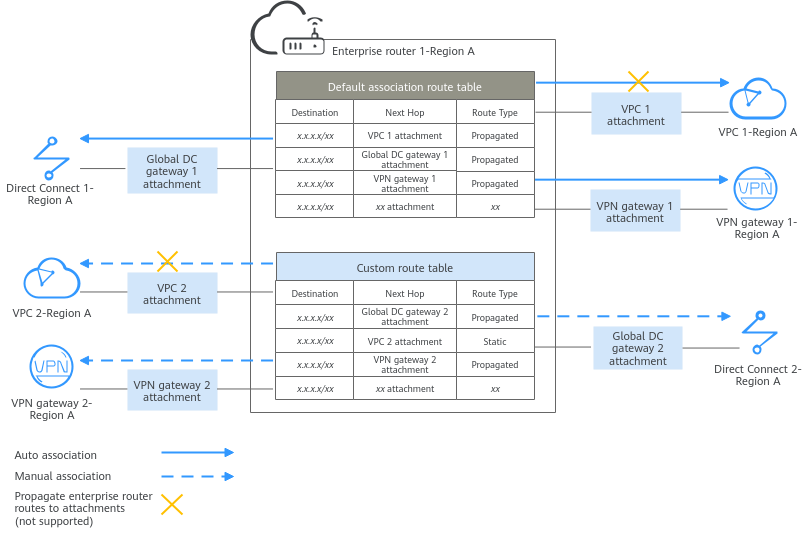
| Each attachment can only be associated with one route table. Associations between attachments in Figure 1 are described as follows: - Auto creation: Associations are automatically created to associate attachments, such as global DC gateway 1, VPC 1, and VPN gateway 1, with the default route table of the enterprise router.
- Manual creation: You need to manually create associations in the custom route table of the enterprise router for attachments, such as VPC 2, VPN gateway 2, and global DC gateway 2.
|
Global DC gateway | Supported |
VPN gateway | Supported |
CFW instance | Not supported |