Scenarios
This section describes how to use a remote login tool to log in to a Windows ECS from a macOS server. In this section, the remote login tool Microsoft Remote Desktop for Mac and the ECS running Windows Server 2012 R2 Data Center 64bit are used as an example.
Prerequisites
- The target ECS is running.
- You have obtained the username and password for logging in to the Windows ECS. If you have forgotten the password, reset the password by referring to Resetting the Password of a Windows ECS by Attaching a System Disk to a Temporary ECS.
- You have bound an EIP to the ECS. For details, see Binding an EIP.
- Access to port 3389 is allowed in the inbound direction of the security group that the ECS belongs to. For details, see Configuring Security Group Rules.
- A macOS-supported remote access tool, such as Microsoft Remote Desktop for Mac, has been installed.
Microsoft stopped providing the link for downloading the Remote Desktop client. You can download the beta version by visiting Microsoft Remote Desktop Beta.
Procedure
- Start Microsoft Remote Desktop.
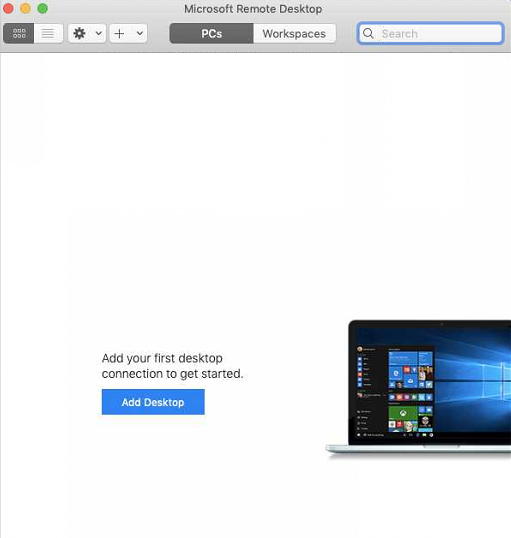
- Click Add Desktop.
Figure 1 Add Desktop
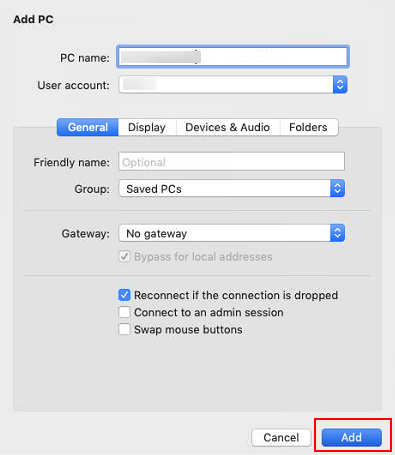
- On the Add PC page, set login information.
- PC name: Enter the EIP bound to the target Windows ECS.
- User account: Select Add user account from the drop-down list.
The Add user account dialog box is displayed.
- Enter the username administrator and password for logging in to the Windows ECS and click Add.
Figure 2 Add user account
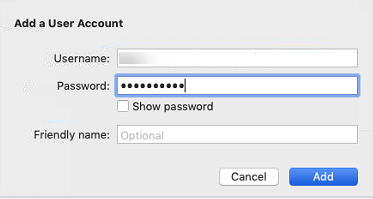
Figure 3 Add PC
- Enter the username administrator and password for logging in to the Windows ECS and click Add.
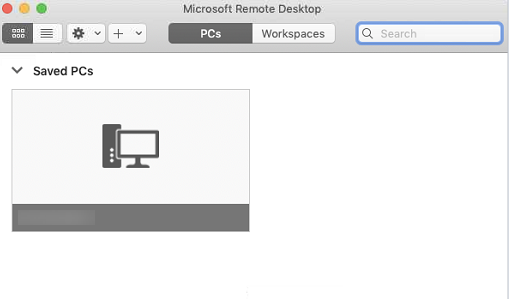
- On the Remote Desktop page, double-click the icon of the target Windows ECS.
Figure 4 Double-click for login
- Confirm the information and click Continue.
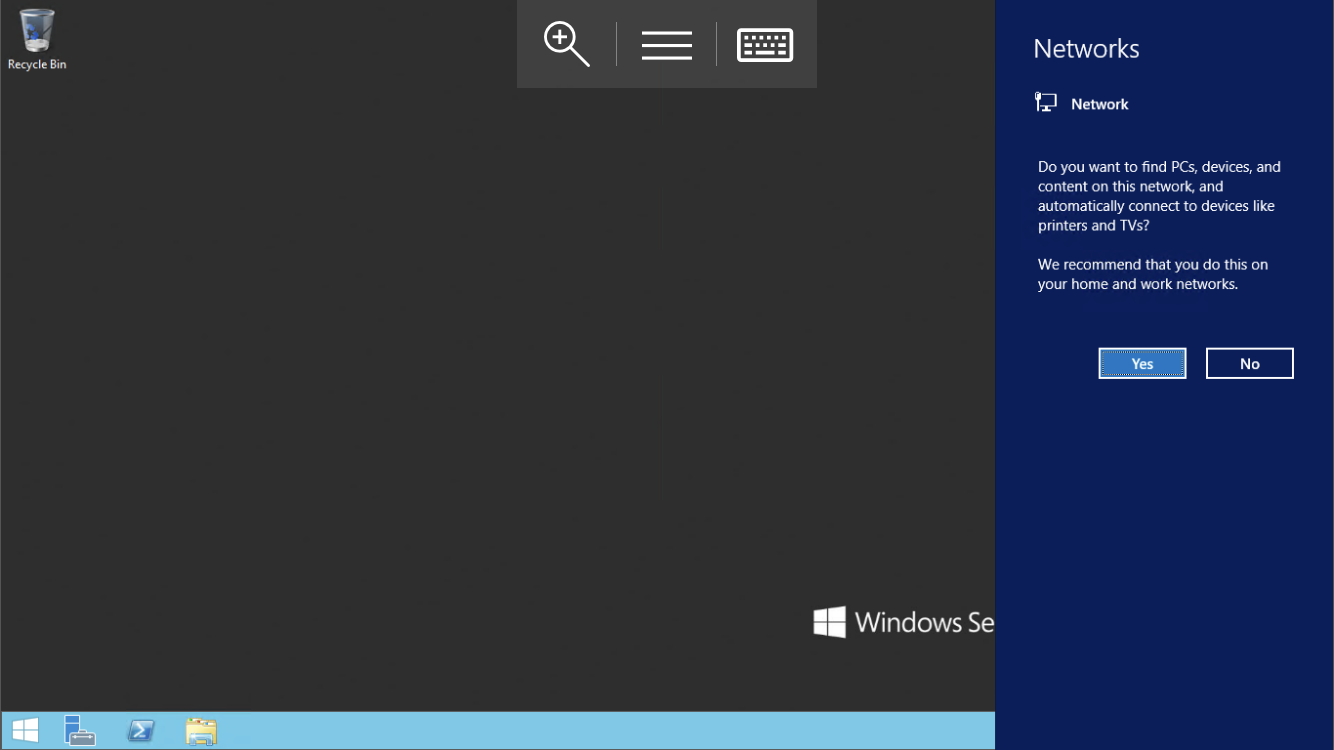
You have logged in to the Windows ECS.
Figure 5 Successful login
Parent topic: Logging In to a Windows ECS