MongoDB official website provides client installation packages for different OSs. Download the official package at https://www.mongodb.com/download-center#community.
Notice
The following uses RedHat/CentOS 7.0 and MongoDB 4.0.28 as examples to describe how to obtain the required installation package and install the MongoDB client.
During the installation, select the client version that matches the instance version.
Procedure
- Obtain the installation package.
- Visit the MongoDB official website.
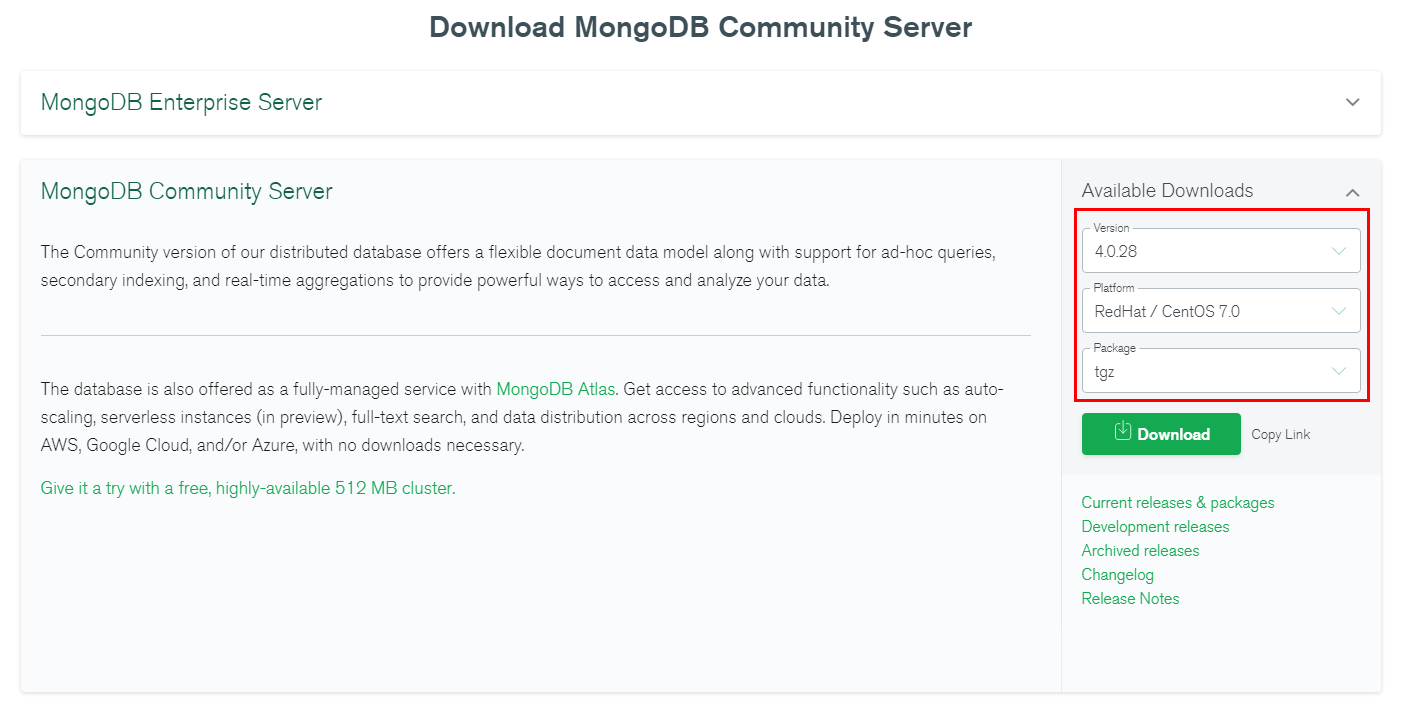
- Select version 4.0.28, platform RedHat/CentOS 7.0, and package tgz. Figure 1 shows an example.
Figure 1 MongoDB official webpage
- Use either of the following methods to upload the installation package to the ECS:Note
For details about how to log in to an ECS, see How Can I Create and Log In to an ECS?
- Click Download to obtain the binary installation package of version 4.0.28. The name of the installation package is mongodb-linux-x86_64-rhel70-4.0.28.tgz. Upload the installation package to the ECS.
- Click Copy Link to obtain the download address. Log in to the ECS and run the wget copylink command.Note
Replace copylink with the actual download address.
- Decompress the installation package on the ECS.
tar zxvf mongodb-linux-x86_64-rhel70-4.0.28.tgz
- Access the directory where the installation package is located.
cd mongodb-linux-x86_64-rhel70-4.0.28/bin
The common tools are as follows:
- MongoDB client mongo
- Data export tool mongoexport
- Data import tool mongoimport
- Make the packages executable.
- Run the chmod +x mongo command to grant a client permission to connect to an instance.
- Run the chmod +x mongoexport command to grant a client permission to export data.
- Run the chmod +x mongoimport command to grant a client permission to import data.
- Connect to an instance from the client. For details, see "Connecting to an Instance" in Getting Started with Document Database Service.
Parent topic: Installing a Client