CSS limits access to security-mode clusters to authorized users only. When creating a security-mode cluster, an administrator account must be created. This administrator account can later use Kibana to add new users for the cluster and grant them the required permissions. This topic uses Kibana 7.10.2 as an example to describe how to use Kibana to grant users access to a security-mode cluster.
Background
CSS uses the opendistro_security plug-in to provide security cluster capabilities. The opendistro_security plug-in is built based on the RBAC model. RBAC involves three core concepts: user, action, and role. RBAC simplifies the relationship between users and actions, simplifies permission management, and facilitates permission expansion and maintenance. Figure 1 shows the relationship between the three.
Figure 1 User, action, and role

Concept | Description |
|---|---|
User | A user can send operation requests to an Elasticsearch cluster. The user has credentials such as username and password, and zero or multiple backend roles and custom attributes. |
Role | A role is a combination of permissions or action groups, including operation permissions on clusters, indexes, documents, or fields. |
Permission | A single permission, for example, creating an index (indices:admin/create). |
Role mapping | A user will be assigned one or multiple roles after successful authentication. Role mapping is to map a role to a user (or a backend role). For example, the mapping from kibana_user (role) to Bob (user) means that Bob obtains all permissions of kibana_user after authentication. Similarly, the mapping from all_access (role) to admin (backend role) means that any user with the backend role admin (from the LDAP/Active Directory server) has all the permissions of role all_access after being authenticated. You can map each role to multiple users or backend roles. |
Action group | An action group is a group of permissions. For example, the predefined SEARCH action group grants roles permissions to use _search and _msearch APIs. |
In addition to the RBAC model, Elasticsearch also uses a concept called tenant. The RBAC model addresses the problem of user-level authorization, while the tenant model addresses the problem of data and resource sharing between different tenants. Within a tenant space, tenants can share information such as dashboards and index patterns.
By default, users can only see the index patterns and dashboards in their own private tenant space. When a new user test is added, the system automatically generates an index named .kibana_xxx_test. The data in this user's private space will be stored in this index. Similarly, the data of the administrator's private tenant space is stored in the .kibana_xxx_admin index. To share an index pattern or dashboard with other tenants, you can create them in the global tenant space. Other users can access the shared resource only by switching to the global tenant space.
On the Kibana console, you can configure user permissions on an Elasticsearch cluster under Security to implement fine-grained access control at four levels: cluster, index, document, and field.
Users can be added or deleted for a cluster, and mapped to roles. This way, you assign roles to users.
With role mapping, you can configure the members of each role and assign roles to users based on usernames, backend roles, and host names. For each role, you can configure cluster, index, and document permissions, as well as the permission to use Kibana.
For more about security configuration for a security-mode cluster and the detailed guide, see the official Elasticsearch document here.
Constraints
- You can customize the username, role name, and tenant name in Kibana.
- The Kibana GUI varies depending on the Kibana version. Kibana 7.10.2 is used as an example here.
Creating a User and Granting Permissions
- Log in to the CSS management console.
- In the navigation pane on the left, choose Clusters > Elasticsearch.
- In the cluster list, find the target cluster, and click Kibana in the Operation column to log in to Kibana using the administrator account.
- Username: admin (default administrator account name)
- Password: Enter the administrator password you set when creating the cluster in security mode.
- After a successful login, choose Security in the navigation tree on the left of the Kibana operation page. The Security page is displayed.
- Add a new user test for the security-mode cluster.
- Click Internal users in the navigation area.
- On the Internal users page, click Create internal user. The page for creating a new user is displayed.
Figure 2 Create internal user
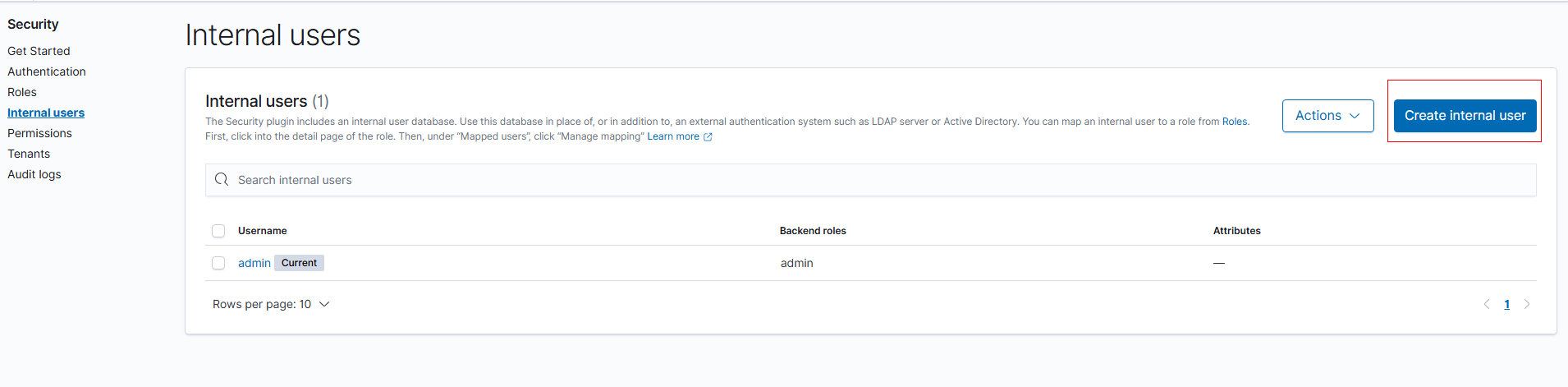
- On the displayed page, set Username, Password, and Re-enter password. The username test is used as an example here.
The following two parameters are optional. You can click Learn more on the page to learn more about them.
- Backend roles: used to map external users (such as those from LDAP or SAML) to Open Distro security roles.
- Attributes: used to further describe users. More importantly, they can be used to enable document-level access control on top of the index permissions of a role. This makes it possible to conduct dynamic document-level security (DLS) queries based on user attributes.
- Click Create. Upon successful creation, the new user is displayed in the user list.
- Create a role named role_test and assign permissions to it.
- Click Roles under Security. The system has preset roles. For the permissions of each role, click Learn more on the page. If the preset roles can already meet your needs, you are advised to use these preset roles.
- On the Roles page, click Create Role.
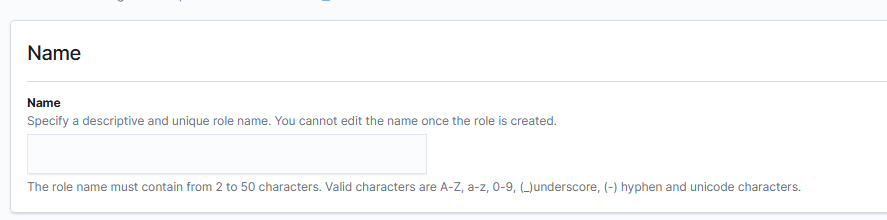
- Set the role name, for example, role_test.
Figure 3 Setting the role name
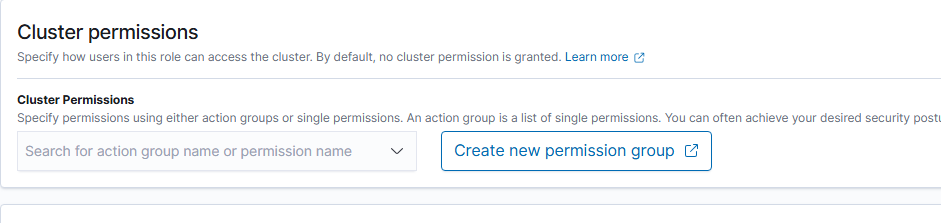
- On the Cluster Permissions page, set cluster permissions based on service requirements. If they are not configured for a role, the role will not have any cluster-level permissions. The following uses the cluster_monitor permission as an example.Note
In Elasticsearch, the cluster_monitor permission allows users to monitor and observe cluster status, but not to perform any operations that may alter the cluster status. Specifically, the cluster_monitor permission enables users to perform the following operations:
- Check a cluster's status and health.
- Check the nodes of a cluster.
- View cluster statistics.
- Check the pending tasks of a cluster.
- Check information about cluster recovery, segments, and indexes.
Figure 4 Cluster Permissions
- Configure index permissions on the Index Permissions page. This configuration is optional. It allows you to define the permissions of users assigned this role on specific indexes.
- Index: Set the index name. For example, my_store.Note
Use different names for the index and the user.
- Index permissions: Set the index permissions to grant.
- Index: Set the index name. For example, my_store.
- Tenant Permissions: Set tenant permissions. This configuration is optional. Tenants in Kibana are spaces for saving index patterns, visualizations, dashboards, and other Kibana objects. By default, all Kibana users have access to two tenants: Private and Global. The global tenant is shared between every Kibana user. The private tenant is exclusive to each user and cannot be shared. For more on tenant permissions, click Learn more on the page.
- Click Create to save the role settings. The new role is displayed in the Roles list.
- Map a role to a user to assign permissions to that user.
- Choose Security > Roles, and click role_test. The role details page is displayed.
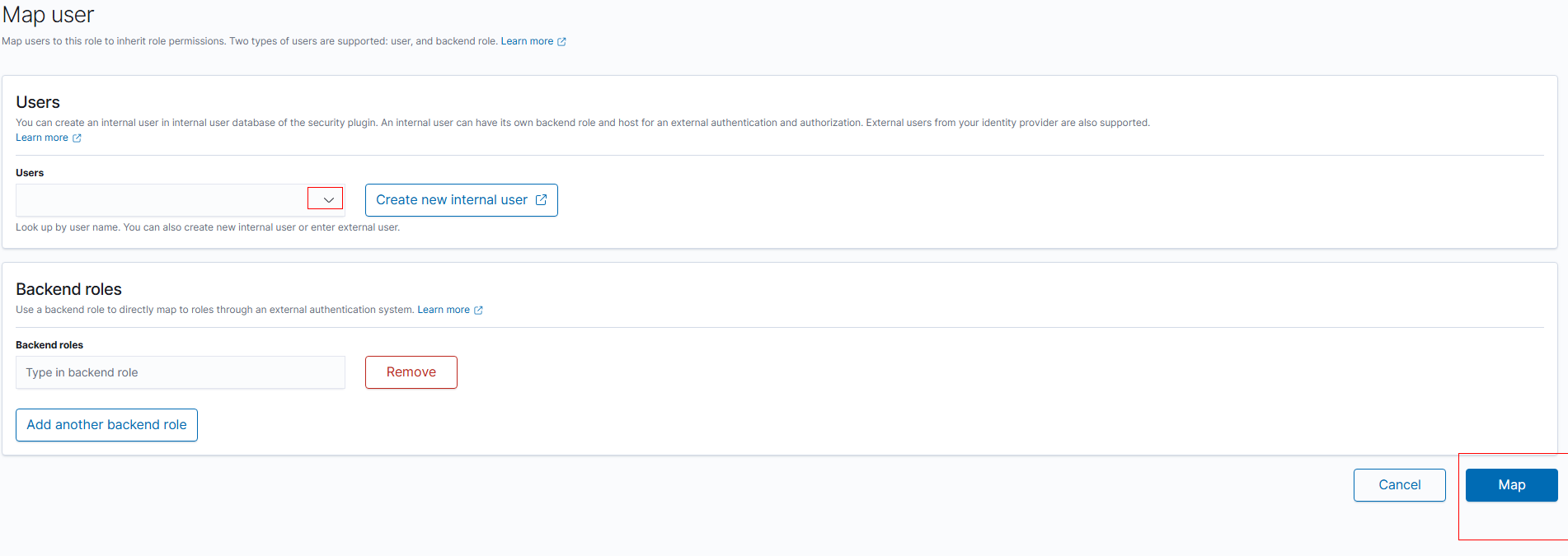
- Click the Mapped users tab, then click Map user.
- On the Map user page, select user test created earlier from the Users list.
- Click Map.
- Verify that the user permissions have taken effect.
- Log in to Kibana as user test.
- Click Dev Tools in the navigation tree on the left.
- Run the GET /_cluster/health?pretty command to check the cluster health. The code 200 is returned. Basic information about the cluster can be queried, indicating that the user has the permission to check cluster status.
- Run the PUT /my_test command to create an index. The code 403 is returned, indicating that the user is not authorized to create indexes.
We can see that user test only has the permission check cluster status but cannot create indexes. The configuration is successful.
If necessary, you can add the index creation permission for the role later. The returned error message provides tips on adding role permissions.