Scenarios
If you need to cancel auto backup of a vault, remove the policy from the vault, or disable the policy. This section describes how to remove a policy from a vault.
Prerequisites
A policy has been applied to the vault.
Procedure
- Log in to the CBR console.
- In the upper left corner, click
 and select a region.
 - Click
 and choose Storage > Cloud Backup and Recovery.
- In the upper left corner, click
- Locate the target vault and click the vault name to view its details.
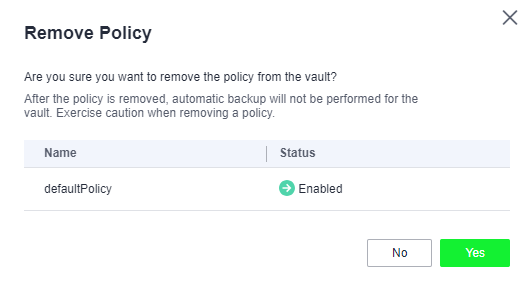
- In the Policies area, click Remove Policy.
Figure 1 Removing a policy
 Note
Note- You can remove a policy from a vault when the vault resources are being backed up. In this case, backup tasks will continue, and backups will be generated.
- After a policy is removed, backups retained by Time period will expire based on the retention rule, but backups retained by Backup quantity will not. You need to manually delete any backups that are no longer required.
- Click OK. After the removal, you can go to the Policy area on the vault details page to view the results. If the policy does not exist, the removal is successful. The vault will no longer execute tasks as specified in this policy.
Parent topic: Policy Management