Scenarios
You can apply a backup policy to a vault to run backup tasks at specified times or intervals. The generated backups can then be used to restore data quickly if data becomes corrupted or lost.
Constraints
- You can create multiple policies, but can apply only one backup policy to a vault.
Procedure
- Log in to the CBR console.
- In the upper left corner, click
 and select a region.
 - Click
 and choose Storage > Cloud Backup and Recovery.
- In the upper left corner, click
- Locate the target vault and choose More > Apply Backup Policy.
Figure 1 Applying a backup policy
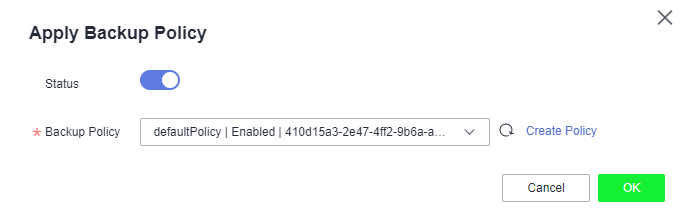
- Select an existing backup policy from the drop-down list or create a new one. For how to create a policy, see Creating a Backup Policy.
- After the policy is successfully applied, view details in the Policies area on the vault details page.
Parent topic: Policy Management