You can delete unwanted backups to reduce space usage and costs.
If a backup has been used to create an image, the backup cannot be deleted. In this case, delete the image first by following the instructions in Deleting Images.
CBR supports manual deletion of backups and automatic deletion of expired backups. The latter is executed based on the backup retention rule in the backup policy. For details, see Creating a Backup Policy.
Note
- Backups are not stored on a server. Deleting backups has no impact on the server performance.
- If a backup already exists while the next incremental backup task is in progress, any attempt to delete the existing backup will be blocked. You must wait until the incremental backup finishes before performing the deletion.
- CBR automatically creates snapshots during backup and retains the latest snapshot for each disk. If a disk already has a backup, after another backup, the old snapshot will be deleted and the latest one will be retained.
Prerequisites
- There is at least one backup.
- The backups to be deleted are in the Available or Error state.
Procedure
- Log in to the CBR console.
- In the upper left corner, click
 and select a region.
 - Click
 and choose Storage > Cloud Backup and Recovery.
- In the upper left corner, click
- Click the Backups tab. Locate the desired backup. For details, see Viewing a Backup.
- Choose More > Delete from the Operation column. Alternatively, select the backups you want to delete in a batch and click Delete in the upper left corner to delete them.
Figure 1 Deleting a backup
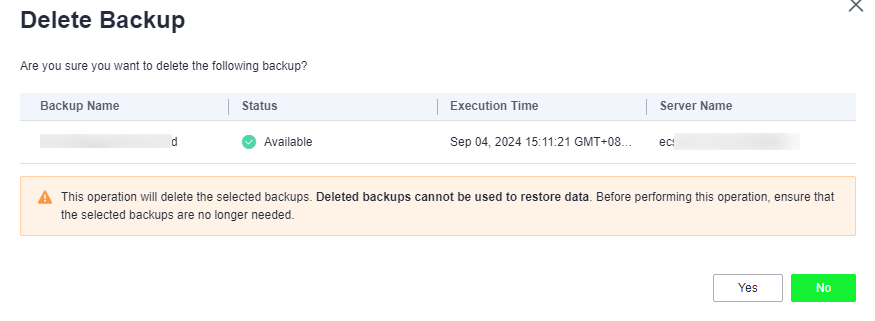
- In the displayed dialog box, confirm the information, enter DELETE, and click OK.
Return to the backup list. If the target backup no longer appears, it was deleted successfully.
Helpful Links
- When you use CBR to back up a disk, all disk data including any invisible data will be backed up. If you frequently add, delete, or modify data on the disk before each backup task, a large amount of vault space will still be occupied even after some backups are deleted. You can reduce the occupied vault space by deleting unnecessary backups. For details, see How Do I Reduce the Vault Space Occupied by Backups?
- If the Delete button is unavailable or the deletion fails, rectify the fault by referring to .
Parent topic: Backup Management